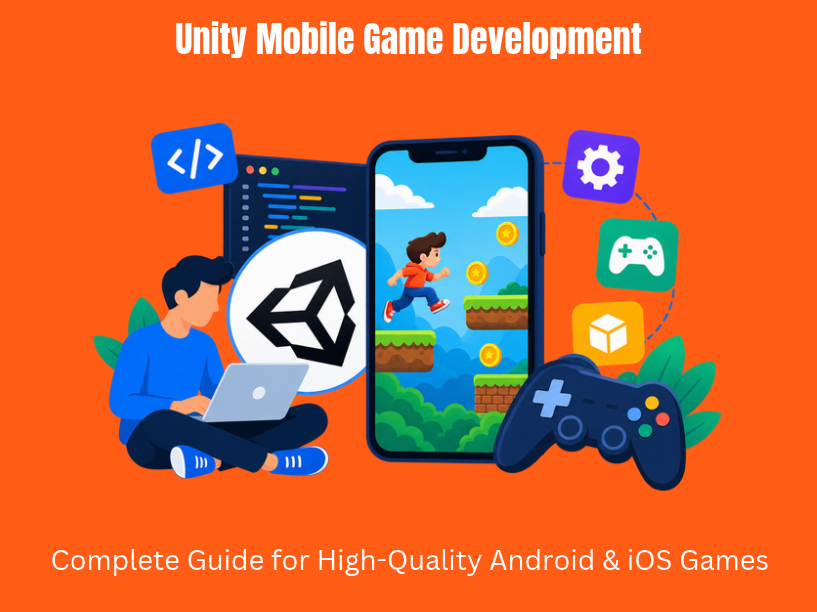

Unity mobile game development is the process of building, optimizing, and shipping mobile games for Android and iOS using the Unity game engine. Mobile game development in Unity involves planning, setup, scripting, and optimization across every stage of the project lifecycle. Today, 70% of the top 1,000 mobile games were made with Unity, and Unity apps account for 50% of all mobile games in major app stores.
For startups, SMEs, and product teams looking to create games or gamified apps, the unity engine offers a proven path from prototype to global launch. This guide is created by TVL IT Solutions, a custom software and game development company based in India with experience shipping Unity-based mobile games globally.
The article covers planning, design, development, optimization, monetization, analytics, and long-term live operations for mobile games. The focus is on android and iOS deployment with a single Unity codebase in C#, suitable for both 2D and 3D projects.
Unity evolved into the leading game engine for mobile game development after introducing Android and iOS support around 2009–2010. Unity is widely used in commercial mobile games across the industry, and Unity games are downloaded more than 3 billion times per month. Additionally, 82 of the top 100 games use Unity to grow their games.
Key advantages that make developers use unity include:
Unity was used to create approximately 1.5 billion devices by 2020, proving its scale. Unity offers flexible licensing, including unity pro for larger teams and a preferred platform license for specific build targets. TVL IT Solutions leverages Unity to build secure, scalable mobile game backends paired with client apps.
Before opening the unity editor, define a clear game concept and scope. Consider concrete examples: an endless runner with procedural levels has different risk and scope compared to a turn-based strategy game requiring AI, balancing, and multiplayer support. A 2D puzzle sits somewhere in between.
The game development lifecycle consists of three phases: planning, development, and testing. In the planning phase, you determine how to build your game by tying design decisions to business objectives:
Keep documentation lightweight. A one-page Game Concept Document plus a minimal Game Design Document focused on mobile constraints is sufficient for an MVP scope. TVL IT Solutions works with clients to prioritize an MVP feature set deliverable in milestones, such as a soft-launch-ready build within a fixed phase.
Plan analytics events and privacy requirements from day one, including cookies on companion websites and in-app tracking, so data is actionable at launch.
Unity allows developers to create both 2D and 3D games, but the choice has real implications for mobile projects. Unity 2018 introduced the scriptable render pipeline for high-end graphics, and Unity uses the universal render pipeline for scalable graphics across mobile devices.
| Factor | 2D Games | 3D Games |
| GPU load | Lower overdraw, simpler shaders | Higher demands: shadows, lighting, LODs |
| Art pipeline | Sprite sheets, pixel art, and other art assets | 3D models, normal maps, textures |
| Development speed | Faster iteration for small teams | Longer content production cycle |
| Device compatibility | Runs well on low-end phones | Needs mid-to-high-end hardware |
For example, a 2D platformer or match-3 puzzle uses minimal GPU resources. A 3D endless runner or car-driving game built with URP requires careful LOD management and shader optimization to run across screen resolutions and device tiers.
Prototype core mechanics in simple grey-box scenes before investing in final art. Test movement, jumping, tapping, swiping, shooting, and physics interactions. Validate the fun factor with quick internal playtests rather than overbuilding complex systems early.
TVL IT Solutions helps clients run mechanic experiments and A/B tests to determine which concepts resonate before moving into full 2D or 3D production.
Here is a step-by-step approach to creating a new Unity project for mobile:
Recommended folder structure for scalable projects:
This structure helps large teams and long-term maintenance. For bigger codebases, use Assembly Definition files to speed up compilation.
Unity provides a small build footprint ranging from 30 to 50 MB, keeping initial download sizes manageable. Enable Unity’s built-in analytics and crash reporting at this stage, or integrate third-party tools so telemetry is active from the first test build. Review default settings for quality levels and adjust them for mobile targets.
Mobile games must be designed “thumb-first.” Players hold their phone in one hand, tap with imprecise fingers, and play in environments with bright sunlight or dim lighting. Every ui elements decision should reflect this reality.
Core principles:
Unity’s Canvas system with anchors and automated layouts handles the wide range of modern aspect ratios (16:9, 19.5:9, 20:9, tablets). Set RectTransform anchors and margins so UI scales fluidly across devices. Use the device simulator package to preview multiple devices – Pixel 8, iPhone 15, iPad – directly in the editor without deploying builds.
For localization, plan for languages with longer strings and right-to-left scripts. Unity’s localization package handles font rendering and string management. TVL IT Solutions builds localization-ready interfaces from the start, so expanding to new markets does not require UI rewrites.
Unity’s modern input system package replaced the legacy input manager and provides better support for mobile game development. It handles multi-touch, gestures, accelerometer, gyroscope, and custom control schemes through action maps and device bindings.
Common mobile gesture mappings include:
To configure, create an Input Action Asset, define action maps for mobile touch controls, and bind them to your game objects. For a 3D car game, you might map left-right swipe to steering and tap to boost. For a runner, swipe up to jump and swipe down to slide.
Accessibility matters. Allow players to customize sensitivity, switch between left-hand and right-hand layouts, and provide options for players with motor limitations. TVL IT Solutions builds reusable input layers so the same core code targets mobile, PC, and console with minimal conditional logic.
Solid architecture separates mobile games that scale from those that collapse under feature creep. During the development phase, you build your game and conduct testing against a clean code structure.
Recommended patterns for Unity mobile projects:
Clean C# practices include using namespaces, following SOLID principles, and adding assembly definitions (.asmdef) to speed up compilation in larger projects. Unity supports integration with various mobile services, so connect backend systems for leaderboards, cloud saves, high score tracking, and matchmaking using REST APIs or WebSockets.
TVL IT Solutions provides full-stack game development: Unity client plus scalable backend services (e.g., .NET, Node.js) hosted on cloud platforms with security-first design.
Plan for offline mode where applicable. Many mobile players have intermittent connectivity, so implement local persistence with reliable sync strategies when the connection returns.
Performance separates a polished mobile game from one that drains batteries and frustrates players. The main bottlenecks are CPU usage, GPU overdraw, excessive draw calls, and memory pressure – especially on mid-range android devices, which represent the majority of users globally.
Unity’s tools optimize battery usage, frame rate, and memory consumption. Target frame time values should be under 21 milliseconds (for 60 fps) or under 33 ms (for 30 fps). Set Application.targetFrameRate to balance smoothness with thermal and battery constraints.
Key optimization strategies:
Unity creates detailed profiling reports that surface CPU and GPU hotspots. Don’t rely solely on editor performance; test on physical devices early and often. Performance issues that are invisible on a development machine can cause visible stuttering on a budget phone.
C# uses automatic garbage collection, and allocations during gameplay can cause frame stutters on mobile devices. Garbage collection best practices help avoid memory allocation issues. Common culprits include string concatenation in Update loops, LINQ queries, boxing, and frequent new calls.
Practical techniques:
For textures, use ASTC as the recommended texture compression format for android. ASTC offers a strong balance of visual quality, memory savings, and broad device support. On iOS, ASTC also works well across modern Apple hardware.
Large games benefit from splitting content into install-time and on-demand asset packs. Unity Addressables let you load assets only when needed, reducing initial download size. Google Play Asset Delivery integrates with this workflow, enabling seasonal content or DLC without forcing full re-installs.
TVL IT Solutions designs asset pipelines so updates and seasonal content can be streamed efficiently, keeping install sizes lean while supporting regular content drops.
Monetization is where design meets business. The main options for mobile games include:
Integrate ad mediation SDKs within Unity to optimize fill rates and eCPMs across networks. Focus on user experience – intrusive placements kill retention. Design in-game economies carefully to avoid pay-to-win traps; cosmetic-only IAPs and energy systems in casual games are widely accepted patterns.
TVL IT Solutions uses analytics to balance retention and revenue, ensuring monetization does not undermine the core game experience.
Regional regulations matter. Loot-box scrutiny is increasing in multiple jurisdictions, and both the google play store and Apple App Store enforce policies around ad content, disclosures to minors, and transparency. Unity developers should review store guidelines before finalizing any monetization implementation.
Analytics are critical in mobile game development. Without data, you cannot track funnels, retention, session length, ARPU, or feature adoption. Implement event tracking via Unity Analytics or third-party tools with events like level_start, purchase_complete, and ad_watched_rewarded.
Connect in-game tracking with web-based user journeys. Landing pages and community sites for your game use different types of cookies to deliver personalized experiences and measure marketing effectiveness. Understanding cookies details is essential for compliance.
Here is how cookie categories typically break down:
A privacy preference center lets users manage consent with a clear checkbox label for each cookie type, allowing them to allow these cookies or decline non-essential ones. If a user submits an opt out request honored by your system, non-essential tracking must stop. These cookies on your device to enhance site functionality should be explained transparently.
TVL IT Solutions builds compliant analytics and consent layers end-to-end – in the mobile game, backend, and associated marketing site and the services around it – without overstating capabilities.
Diverse device testing is vital because Android ecosystem fragmentation causes device-specific bugs and performance issues. A game that runs perfectly on a Pixel phone may stutter on a Samsung mid-range device due to GPU driver differences.
Recommended testing approach:
| Test Layer | Purpose | Tools |
| Unit tests | Validate core logic (game rules, math, AI) | Unity Test Framework |
| Play mode tests | Automated gameplay simulation | Unity Test Runner |
| Smoke/regression | Catch breaking changes after updates | CI/CD pipelines |
| Manual exploratory QA | UX, feel, edge cases | Human testers on devices |
Test on physical devices across low, mid, and high-end tiers, supplemented by cloud-based device farms for broader coverage. Limited internal testing is done on Google Play before launch through internal tracks. You can analyze feedback from a limited release to improve your game before scaling. Alpha and beta testing helps identify final issues before global release, using Google Play’s closed/open testing tracks and TestFlight on iOS.
TVL IT Solutions runs structured QA cycles, logs issues with reproduction steps, and collaborates with client teams for acceptance testing.
When you are ready to publish games, the process involves several concrete steps:
Developer accounts: Create accounts on both stores. A one-time fee of $25 is required to publish on Google Play. Apple charges an annual fee. Ensure legal entity details, tax information, and bank accounts are configured.
Build preparation:
Store listing assets:
Compliance requirements:
TVL IT Solutions assists clients from first submission throughhandling rejections and iterating on store presence, ensuring smooth approvals.
Live operations define the ongoing cycle of updates, events, offers, bug fixes, and community management after launch. A successful mobile game is never “finished.”
Plan an update roadmap with regular content drops:
Remote configuration and feature flags let you run A/B tests, tune difficulty, or disable problematic features without pushing a full client update to stores. This gives you the full power to iterate on live games rapidly.
Set up in-game feedback channels so players can report bugs without leaving the game. Manage community interactions on social platforms and handle support tickets for technical issues and billing queries. Monitor key metrics post-launch: DAU, MAU, D1/D7 retention, LTV, and churn rates.
TVL IT Solutions often engages in long-term strategic partnerships to maintain and evolve Unity mobile games post-release, treating live-ops as an ongoing service rather than a one-time handoff.
Security threats in mobile games include cheating, client-side tampering, fraudulent purchases, and exposed API endpoints. Unity does not control server-side validation, so you must build it yourself.
Best practices:
For data protection, minimize personal data collection, encrypt sensitive data at rest and in transit, and provide clear privacy notices inside the mobile game. Connect this with cookie and consent management on companion sites, ensuring users understand how performance cookies and targeting cookies relate to their experience.
TVL IT Solutions applies a security-first development approach across every project: code reviews, secure architecture, and compliance alignment with GDPR, CCPA, and store-level requirements.
Here are three project outlines that illustrate how TVL IT Solutions approaches unity mobile game development:
Hyper-Casual Android Game (Startup Client) A startup needed a swipe-based arcade game for Android with ad monetization. TVL IT Solutions delivered a grey-box prototype within weeks, validated retention through Google Play’s internal testing track, then moved into production. The final build used object pooling, ASTC textures, and rewarded ads. The soft launch achieved D1 retention above industry median benchmarks.
Educational Mobile Game (SME Client) An education company wanted an interactive quiz game for children on iOS and Android. TVL IT Solutions built the game with ScriptableObject-driven content, localized UI for three languages, and a cloud-save backend. Content updates were delivered via Addressables without requiring app store re-submissions.
Gamified Loyalty App (Enterprise Client) An enterprise needed gamification features embedded in an existing customer app. TVL IT Solutions integrated Unity as a library within a native app, connected to the client’s CRM via REST APIs, and implemented AI-driven recommendation logic for personalized challenges.
TVL IT Solutions offers flexible engagement models for Unity mobile games: dedicated team, fixed scope, time and material, and hybrid models. Clients can integrate Unity game projects with broader initiatives like web portals, backend systems, or CRM integrations.
Next steps: Clarify your requirements, prepare technical specs, and partner with TVL IT Solutions for secure, scalable Unity mobile game development. Whether you need to create a casual 2D title or a complex 3D experience, the right development partner makes the difference between a download and a daily habit.
Unity mobile game development is the process of designing, building, optimizing, and publishing games for Android and iOS using the Unity game engine and C#.
Yes. Unity supports both 2D and 3D mobile games. 2D games generally require fewer GPU resources and can be quicker to develop, while 3D games often need more advanced graphics optimization.
Improve performance by reducing draw calls, limiting dynamic lights, using Level of Detail (LOD) groups, optimizing shaders, pooling reusable objects, compressing textures, and profiling on physical devices. Pasted text.txt
Unity mobile games can generate revenue through rewarded ads, interstitial ads, banner ads, in-app purchases, subscriptions, or hybrid monetization models that combine advertising and purchases.
Prepare a signed Android App Bundle (AAB) for Google Play and an archived iOS build through Xcode. Create developer accounts, prepare store listing assets, and meet each platform’s privacy, content-rating, and review requirements.
At TVL IT Solutions, we specialize in delivering scalable, secure, and custom software development services tailored to your unique business needs. Whether you’re a startup or an enterprise, our team is ready to turn your vision into reality.
Get Started Now