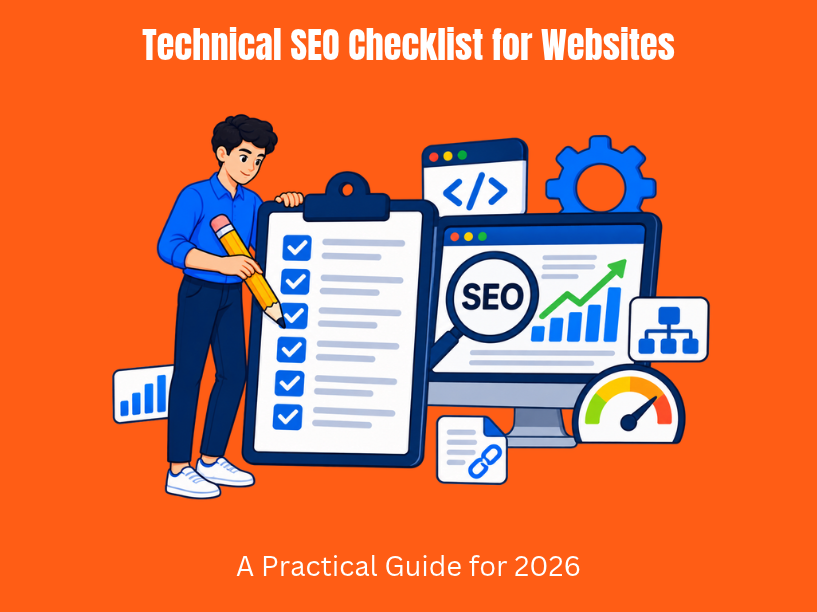

Technical SEO is the backbone of every successful website. It covers everything that determines whether search engines can crawl, index, render, and understand your web pages – from server response codes and site speed to mobile usability, structured data, and canonicalization. Without it, even the best content strategy falls flat.
In 2026, the landscape has shifted significantly. Mobile-first indexing is now universal across Google. AI-powered search experiences like Google’s AI Overviews and tools like Perplexity pull from content that is cleanly structured and technically accessible. A good technical SEO checklist focuses on making websites easy for search engines to crawl and index, and that mission has only become more complex.
This comprehensive technical SEO checklist applies to websites of all sizes – whether you run a startup marketing site, a SaaS platform, or an enterprise portal. It is organized as a step-by-step guide so you can work through fixes in a logical order, from foundational audits to advanced optimizations. Each section addresses specific technical aspects that impact your search engine rankings, search visibility, and long-term organic growth.
Search engine optimization does not exist in a vacuum. Technical SEO underpins content marketing, link building, and brand visibility across Google, Bing, and other search engines – including AI assistants that are rapidly changing how people find information. TVL IT Solutions, as a custom software and web development partner, bakes these technical SEO best practices into website and application architecture from day one, ensuring that what gets built is already search engine friendly.
Let’s get into the checklist.
Never optimize blind. Before touching a single line of code or adjusting a meta tag, you need a baseline snapshot of where your site stands. A technical SEO audit reveals what is broken, what is working, and where to spend your time. Conducting regular audits helps catch issues before they affect search visibility.
Start by pulling data from these sources:
Your first high-priority checks should include:
| Check | What to look for |
| Index coverage | How many pages are indexed vs. how many exist? |
| Crawl errors | 4xx and 5xx status codes, soft 404s |
| Traffic drops | Significant declines tied to specific dates |
| Noindex/nofollow tags | Unintentional blocks on critical pages |
Document everything in a spreadsheet with columns for URL, issue type, priority, source, and status. This spreadsheet becomes your working seo checklist.
Example: A SaaS product site migrated to a new CMS in 2025. During the move, a default template applied a noindex meta tag to hundreds of product pages. Traffic dropped 40% over six weeks before a site audit uncovered the rogue tag. A five-minute fix restored indexation within days.
If search engines cannot find and index your important pages, nothing else in your SEO efforts matters. Use Google Search Console to check your site’s indexing status by navigating to the “Pages” report, which shows exactly which URLs are indexed and which are excluded – and why.
Run a site:example.com query in Google to get a quick count of indexed pages. Compare this number to your sitemap and intended page count.
Establish a single canonical version of your site:
Duplicate site versions are a common problem. HTTP vs. HTTPS, www vs. non-www, trailing slash vs. no trailing slash – each variation can split authority and create duplicate pages that confuse crawlers. Use rel=”canonical” on key templates, and make sure pagination, filters, and tracking parameters do not generate uncontrolled duplicate content.
A robots.txt file controls which pages search engines can crawl. It sits at the root of your domain (example.com/robots.txt) and tells crawlers which directories to access and which to skip. Misconfigured rules directly impact crawl budget and can result in blocked resources that prevent proper rendering.
Review your txt file line by line. Check robots.txt to ensure important content paths are open to crawlers.
Safe to block:
Risky to block:
Always add a Sitemap: directive pointing to your primary XML sitemap index:
Sitemap: https://example.com/sitemap.xml
Mini-case: During a 2024 deployment, a development team accidentally pushed a robots.txt with Disallow: / to production. The entire product catalogue disappeared from Google within days. The fix was a one-line change – but the recovery took weeks. Always validate robots.txt after every deployment.
XML sitemaps help search engines find and index your content. Think of them as a structured blueprint of your site – not a band-aid for poor internal linking, but a supplement that ensures search engines find every important page.
What belongs in a sitemap:
For large sites, split sitemaps by content type:
Submit xml sitemaps in both Google Search Console and Bing Webmaster Tools. Resubmit after major releases or content migrations, and monitor for submission errors.
For custom platforms, TVL IT Solutions can build automated sitemap generators that update in real time as content is published, moved, or deleted – eliminating manual maintenance.
Crawl errors and broken links degrade user experience, waste crawl budget, and dilute link equity. Broken links do not pass authority, directly impacting visibility for the pages they should be supporting.
Use the search console “Pages” and “Crawl stats” reports alongside a crawler like Screaming Frog to surface:
Fix broken links to improve user experience and SEO. Use site audit tools to identify broken links across your entire domain.
Fix strategy:
Server errors (5xx) require coordination with your ops or dev team. Check server CPU/memory, misconfigured firewalls, CDN edge rules, and application timeouts.
TVL IT Solutions routinely integrates automated broken link monitoring into CI/CD pipelines for enterprise web and mobile backends, catching issues before they reach production.
A clear website structure resembles a logical hierarchy. Each page should be accessible within three or four clicks from the homepage. This shallow site architecture ensures that both users and crawlers can discover your most critical pages without friction. Search engines need to discover important pages efficiently, and your site structure is what makes that possible.
Key principles:
Internal links are a powerful tool for distributing authority across your site. Use descriptive anchor text for internal linking to improve site architecture. Link between related pages using contextual anchors rather than generic “click here” text, and keep navigation consistent across templates.
Orphan pages – pages with no incoming internal links – are invisible to crawlers navigating through your link graph. Identify them using crawl data or CMS exports, then decide whether to integrate them via internal links, redirect them, or remove them entirely.
For large sites, implement breadcrumbs using both HTML markup and BreadcrumbList schema to reinforce hierarchy for users and search engines alike.
Crawl budget is the number of pages a search engine bot will crawl on your site within a given timeframe. For small sites (under a few thousand pages), this rarely matters. For large content libraries, marketplaces, and SaaS knowledge bases, it is critical.
Common crawl budget drains:
Shape crawl paths using a combination of robots.txt disallow rules, noindex on thin faceted pages, canonical tags, and smart internal linking that guides bots toward high-value sections like key pages, product listings, and cornerstone content.
Use search console crawl stats and server logs to see where bots spend their time. If 60% of Googlebot’s requests go to parameterized filter URLs that carry no search intent, you have a problem.
Example: A B2B portal had thousands of query-parameter URLs generated by product filters. By noindexing low-value filter combinations and blocking certain patterns in robots.txt, the team reclaimed crawl capacity for their knowledge base and product pages. Indexed pages in their target categories increased by 35% within two months.
Google has used mobile-friendliness as a ranking factor since 2015, and since July 2024, mobile-first indexing is universal – meaning Google uses the mobile version of your site to index and rank every page. Google prioritizes mobile-friendly sites for ranking, making mobile optimization non-negotiable.
The numbers tell the story: 58% of online traffic comes from mobile users. Over 50% of users browse the internet on mobile devices at any given time. Mobile-friendly websites improve user experience and engagement, directly impacting bounce rates, conversions, and search rankings.
Responsive design is generally preferred over m-dot (mobile subdomain) setups. Responsive sites are easier to crawl, maintain consistent internal links, and avoid the canonicalization headaches that separate mobile URLs introduce. About 92% of top-ranking sites use responsive design.
Regularly test key templates with Google’s Mobile Friendly Test, Lighthouse, and actual mobile devices with varied screen sizes.
Common mobile usability issues to fix:
TVL IT Solutions builds mobile-first frontends and native mobile apps so that UX and SEO work together instead of competing. When the mobile experience is designed first, desktop becomes an enhancement rather than a retrofit.
Optimize Core Web Vitals for better user experience and rankings. In 2026, Google evaluates three metrics:
| Metric | What it measures | Good threshold |
| LCP (Largest Contentful Paint) | Loading performance | ≤ 2.5 seconds |
| INP (Interaction to Next Paint) | Interactivity | ≤ 200 ms |
| CLS (Cumulative Layout Shift) | Visual stability | ≤ 0.1 |
Only about 42% of websites pass all three core web vitals thresholds. Largest Contentful Paint should stay under 2.5 seconds for optimization – yet the average web page load time is 2.5 seconds on desktop, meaning many sites are right at the edge. On mobile, the situation is worse: websites load an average of 19 seconds on a 3G mobile network.
50% of users abandon a site if it takes longer than 3 seconds to load. Optimizing page speed improves user experience and can enhance SEO across every page.
Measure with:
High-impact fixes:
Server-side improvements:
Example: A content-heavy SaaS site had an LCP of 5 seconds. After moving static assets to a CDN, converting images to WebP, and lazy-loading below-the-fold media, LCP dropped to 2.2 seconds. The site passed all three CWV thresholds, and organic traffic to documentation pages increased 22% over the following quarter.
HTTPS is a ranking signal since 2014, and in 2026 it is effectively mandatory. About 95.6% of Google’s top-10 ranking pages use HTTPS. Modern browsers mark non-HTTPS sites as “Not Secure,” which immediately erodes user trust. Use HTTPS to protect users and meet modern browser expectations.
Using HTTPS encrypts user data during transfer, protecting sensitive information from interception. An SSL certificate is essential for HTTPS compliance.
Correct HTTPS migration steps:
The security landscape demands ongoing vigilance. In 2023 alone, 6 billion malware attacks were recorded globally. Regular patching of CMS and server software, limiting vulnerable plugins, hardening admin panels, and considering a Web Application Firewall (WAF) are all part of responsible website ownership.
TVL IT Solutions follows security-first development practices, including secure coding standards and routine security testing for custom platforms and software. Security is not an afterthought – it is embedded in the development lifecycle.
Duplicate content can prevent pages from ranking in search results. When multiple URLs serve the same content, search engines struggle to determine which version to index, splitting authority and diluting google rankings.
Common sources of duplicate content:
When to use rel=”canonical”: When similar URLs must exist (e.g., filtered views, paginated series) and you want to point search engines to the preferred version.
When to use 301 redirects: When legacy or obsolete URLs should permanently point to a single destination.
For older sites that rely heavily on query strings for filters, handle URL parameters in search console to discourage search engines from crawling low-value parameter combinations.
Standardize these patterns:
For multi-page articles and product variants, always set the canonical to the main version so search engines stay focused on one page rather than splitting signals across duplicate pages.
Schema markup helps search engines understand your content better by providing explicit context about what a page represents – whether it is an article, product, FAQ, organization, or software application. Adding schema markup can improve click-through rates by enabling rich results like star ratings, FAQ accordions, and sitelinks in search engine results pages.
Schema markup enables rich results in search engine results pages, but schema markup is not a direct ranking factor. Its value is indirect: pages with structured data are more likely to be surfaced in AI Overviews and answer boxes, increasing visibility beyond traditional blue links.
Recommended JSON-LD schema for common page types:
Validate your schema markup to catch syntax errors using Google’s Rich Results Test. Monitor the Structured Data reports in search console for warnings and enhancements. Use a Schema Markup Generator to create schema easily if your team is not comfortable writing JSON-LD by hand.
Note that Google has been simplifying certain structured data types as of late 2025, deprecating some less-used schemas. Stay current with google’s guidelines on supported types.
TVL IT Solutions can embed schema generation logic directly into custom CMS or SaaS dashboards so editors publish content with accurate structured data without ever touching code.
Clean, human-readable URLs help click-through rates, crawling efficiency, and long-term maintainability. A well-structured url structure signals relevance to both users and search engines.
Best practices:
Folder structure considerations:
| Content type | Example URL |
| Blog posts | /blog/technical-seo-guide/ |
| Documentation | /docs/api-reference/ |
| Products | /products/web-development/ |
| Services | /services/custom-software/ |
Create URL guidelines as part of your development or editorial handbook. This is especially important for teams building large content operations with TVL IT Solutions, where consistency across hundreds or thousands of pages prevents url structure debt from accumulating.
Redirects are inevitable during site migrations, rebrands, and content restructuring. The key is managing them cleanly.
301 vs. 302:
Redirect chains waste crawl budget and slow down indexing. A chain like A → B → C forces the crawler through multiple hops, degrading performance and diluting signals. Identify chains and loops with crawling tools, then collapse them so every redirect points directly to the final destination.
Before any migration:
Internal links should never rely on redirects. Point them to the final destination so users and crawlers reach the right page in one request.
Example: A corporate site migrated from a 2018 monolith to a 2025 headless architecture. The team mapped 1,200 legacy URLs to new destinations, tested in staging, and monitored daily for two weeks post-launch. By proactively upgrading their legacy system, they preserved 94% of their organic traffic through the transition.
Modern search engines do not just read HTML – they render pages like a browser. Googlebot fetches your HTML, then loads css files and javascript files to render the page as users see it. If you block critical rendering resources, the crawler sees a broken or empty page.
Do not block in robots.txt:
Test what search engines actually see using the “URL Inspection” tool in search console (View Crawled Page and View Rendered Page). Lighthouse also reveals rendering issues.
For single-page applications built with React, Vue, or Angular, content rendered entirely on the client side may be invisible to crawlers. Implement server-side rendering (SSR), static site generation (SSG), or pre-rendering for critical pages and landing pages.
TVL IT Solutions routinely designs SPA and headless CMS architectures with SSR or pre-rendering built in, ensuring that SaaS applications are both technically sound and fully visible to search engines from launch.
If your site targets multiple languages or regions, hreflang tells search engines which version to serve to which audience. Without it, Google may index the wrong language version or treat regional pages as duplicate content.
Correct hreflang implementation:
Common pitfalls:
Avoid auto-redirecting purely by IP or geolocation. Instead, offer a crawlable language selector so every version is accessible to both users and crawlers.
Choose a URL strategy that fits your scale:
| Strategy | Best for | Trade-off |
| Subfolders (/en/, /fr/) | Most sites | Easiest to manage |
| Subdomains (en.example.com) | Separate teams | More setup complexity |
| ccTLDs (example.co.uk) | Strong country targeting | Highest cost, split authority |
Use search console’s international targeting report and server logs to verify that search engines are picking up the correct regional versions.
A strong internal linking structure guides crawlers across your site, reinforces topical authority around key themes, and ensures that important pages receive sufficient link equity to rank. This is where site authority compounds over time.
Audit your internal links:
Redirect broken internal links to relevant pages rather than leaving them as dead ends. Monitor internal links regularly to ensure functionality, especially after content updates or template changes.
Orphan pages have no incoming internal links, making them invisible to crawlers that navigate through your link graph. For each orphan page, decide:
Surface important content by linking from high-authority pages: your homepage, main navigation, and high-traffic blog posts. This hub-and-spoke model distributes equity effectively across your site.
TVL IT Solutions can build internal linking recommendations directly into custom CMS dashboards, prompting editorial teams to link new content to related existing pages during the publishing workflow.
Technical SEO is tightly connected to content quality. A site overloaded with low-value pages – thin content, near-duplicates, outdated announcements – can hurt perceived site value and waste crawl budget on pages that will never rank for any search intent.
How to identify thin pages:
Action plan:
Faceted navigation is a frequent offender – it generates thousands of low-value filter combinations. Control these with noindex tags, canonical tags pointing to the parent category, or robots.txt blocks on parameter patterns.
For custom SaaS knowledge bases and documentation sites built with TVL IT Solutions, automated checks for thin or outdated content can be integrated into the CMS, alerting editors when pages fall below quality thresholds.
Technical SEO is never “done.” Platforms evolve, frameworks update, content grows, and new technical elements are introduced with every deployment. Without ongoing monitoring, issues compound silently until they surface as traffic drops.
Server log file analysis reveals exactly how bots crawl your site – which pages they hit, how often, what response codes they receive, and which sections they ignore. This data is more reliable than any third-party tool because it shows actual crawler behavior.
Regularly monitor indexing and crawl reports in webmaster tools to catch regressions early.
Recommended maintenance rhythm:
| Frequency | Task |
| Weekly | Check search console for new crawl errors or security alerts |
| Monthly | Review core web vitals performance, broken links, and new duplicate content |
| Quarterly | Full technical SEO audit with crawler, log analysis, and content review |
| Post-deployment | Validate robots.txt, sitemaps, redirects, and rendering on staging and production |
Document every fix and deployment in a changelog. When website rankings shift, you can correlate changes with specific updates rather than guessing.
TVL IT Solutions often sets up automated health dashboards and alerts for long-term web and mobile clients, integrating technical SEO monitoring into the same infrastructure used for application performance.
SaaS products, gated portals, and enterprise systems present unique technical SEO challenges that off-the-shelf solutions rarely address. The line between what should be indexed and what should stay behind authentication requires careful planning.
What should be crawlable:
What should stay behind authentication:
Use meta noindex tags or require authentication (which naturally prevents search engines from accessing content) to keep private areas out of search results. Never rely solely on robots.txt to prevent search engines from indexing sensitive content – it is a directive, not a guarantee.
For single-page applications, ensure that landing pages and documentation use SSR or pre-rendering so content is visible in the initial HTML. Client-side-only rendering creates a gap where crawlers may see an empty shell.
The most effective seo strategies for SaaS integrate technical SEO requirements into the product roadmap from the design phase – not as an afterthought bolted on after launch. TVL IT Solutions, as a custom software and B2B SaaS development partner, designs backend and frontend architecture with these requirements in mind from the first sprint.
Once crawlability, indexation, website speed, mobile-friendliness, and internal links are solid, your content and link building efforts become dramatically more effective. Every keyword optimization effort, every piece of structured data, every carefully written blog post gets the visibility it deserves because search engines can actually find, render, and rank it.
Turn this guide into your own working technical SEO checklist, organized into two categories:
One-time fixes:
Recurring checks:
Mini-case: A B2B SaaS company with a content-heavy documentation site executed a systematic checklist over four months. They fixed canonical and duplicate content issues left from a platform migration, optimized LCP from 5 seconds to 2.2 seconds using a CDN and modern image formats, implemented structured data across product and article pages, and cleaned up over 300 broken internal links. The result: a measurable increase in search rankings across product keywords, improved crawl efficiency (Googlebot coverage of their docs section increased significantly), and their content began appearing in AI answer boxes for the first time.
Technical SEO is not a one-time project. It is an ongoing discipline that keeps your website visible, fast, and ready for whatever search engines and AI systems throw at it next.
TVL IT Solutions can serve as your development partner for both building new, SEO-ready web and mobile applications and refactoring existing platforms to align with every item on this checklist. Whether you need a technically sound SaaS platform, a mobile-first frontend, or AI-driven solutions that integrate with your content strategy, the foundation starts with architecture that search engines – and your users – can trust.
If you want to understand how SEO helps software companies generate more leads, start with this checklist. The seo tips here are not shortcuts – they are the structural work that makes every other marketing investment pay off.
Start with a baseline audit. Fix what is broken. Monitor what matters. Build what lasts.
A technical SEO checklist is a list of tasks used to ensure that search engines can crawl, index, render, and understand a website. It covers areas such as website speed, mobile usability, indexing, site architecture, and security.
Key elements include index coverage, crawl errors, canonical URLs, robots.txt, XML sitemaps, broken links, mobile-friendliness, Core Web Vitals, HTTPS, and structured data.
Robots.txt guides search engine crawlers on which website sections they can access, while XML sitemaps help search engines discover important, indexable URLs.
The article identifies three Core Web Vitals thresholds:
LCP: 2.5 seconds or less.
INP: 200 milliseconds or less.
CLS: 0.1 or less.
The recommended maintenance schedule is weekly checks for crawl errors and security alerts, monthly reviews of Core Web Vitals and broken links, quarterly full technical SEO audits, and validation after every deployment.
At TVL IT Solutions, we specialize in delivering scalable, secure, and custom software development services tailored to your unique business needs. Whether you’re a startup or an enterprise, our team is ready to turn your vision into reality.
Get Started Now