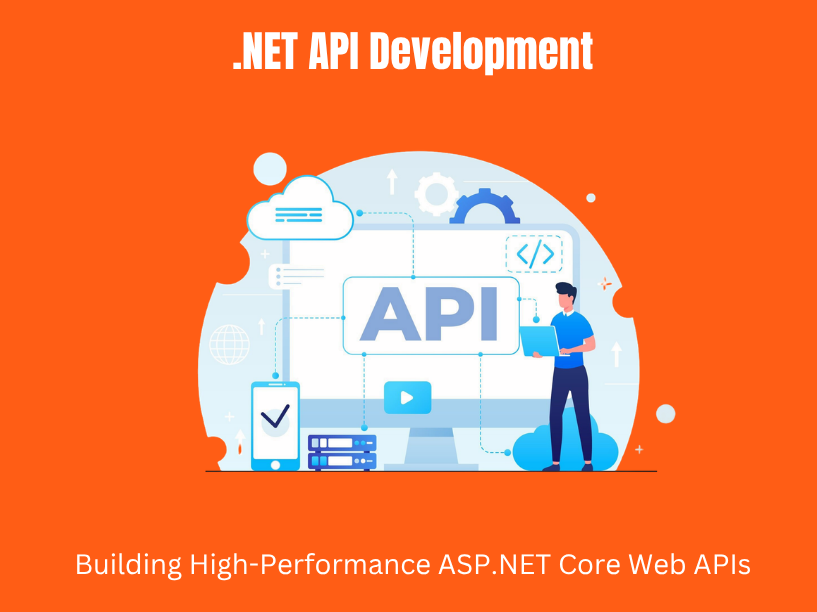

Modern applications depend on APIs. Whether you are building a mobile app, connecting microservices, or integrating with third-party platforms, the API layer is the backbone that ties everything together. This guide walks through .NET API development end to end-from core HTTP concepts and project setup to EF Core data access, security, caching, testing, and deployment-using real-world patterns and practical examples.
API development in the context of web and mobile backends means designing services that expose data and operations over HTTP. Think of an e-commerce product catalog API that serves product listings, aprices, and inventory to web and mobile apps. Or a logistics tracking API that reports shipment status and estimated delivery times to third-party clients. These are web apis that power B2B integrations, microservices, and consumer-facing applications at scale.
ASP.NET Core is Microsoft’s framework for building web applications and APIs. It has evolved rapidly since net core 1.0 launched in 2016. The framework progressed through .NET 5, 6, and 7, reaching .NET 8 (LTS, released November 2023), with .NET 9 and .NET 10 previews arriving by 2025 and 2026. The latest stable version of .NET is net8.0, though .NET 10 is the newest long-term support release. ASP.NET Core runs on different operating systems-Windows, macOS, and Linux-making it a genuinely cross-platform choice for building apis.
A typical net web api project combines ASP.NET Core Web API for HTTP routing and serialization with entity framework core (EF Core) for relational data access. The primary communication pattern is JSON over HTTP, and objects are automatically converted to JSON by the framework’s built-in System.Text.Json serializer.
TVL IT Solutions is a custom software development company experienced in designing and building secure, scalable asp.net core web APIs for startups, SaaS products, and enterprises. The patterns in this article reflect real practices used across client engagements.
Concrete use cases we regularly encounter include:
The rest of this article moves from fundamentals (http methods, status codes, REST) through EF Core data access, security, performance, and api testing, with examples and best practices TVL IT Solutions uses in client projects.
HTTP is the foundation of web api development. Every API interaction follows the same basic cycle: a client sends an HTTP request (with a method, URL, headers, and optionally a request body), and the server returns a response (with a status code, response headers, and a response body). HTTP methods include GET, POST, PUT, and DELETE for APIs, along with PATCH for partial updates.
Most .NET APIs follow REST (Representational State Transfer), an architectural style Roy Fielding defined in his 2000 dissertation. REST is defined by six architectural constraints:
HATEOAS allows clients to navigate the API dynamically through links embedded in responses, though many practical APIs implement only a subset of this constraint.
In ASP.NET Core, restful apis are built using controllers or minimal apis that map HTTP requests to C# handler methods. The framework handles JSON serialization, routing, and model binding automatically.
Just using JSON over HTTP does not make a clean, maintainable API. Good REST design means resource-oriented URLs like /api/customers for the collection and /api/customers/{id} for a single resource, predictable status codes, and consistent response shapes. These patterns reduce guesswork for any developer consuming your API.
Before writing code, you need a functioning development environment. Here is a practical checklist.
Required tooling:
After installing the SDK, verify your setup:
dotnet –version
To create a new web api project, use the visual studio “ASP.NET Core Web API” template (select it in the dialog box, choose your project name, and configure options) or the CLI:
dotnet new webapi -n ProductApi
Enable openapi support during project creation so Swagger or Scalar documentation is available immediately for api testing.
Configuration practices TVL IT Solutions follows:
The default project structure typically includes folders like Controllers, Models, Data, and Services. We will discuss deeper architecture decisions in a later section.
Good api design matters more than any particular framework trick. Before writing handlers, you need clear resource models and URL conventions.
Model resources as nouns, not verbs. Use plural nouns for resource collections in API URIs:
Path parameters vs query parameters:
| Use case | Pattern | Example |
| Resource identity | Path parameter | /api/orders/123 |
| Filtering / pagination | Query parameters | /api/orders?status=pending&page=2 |
Map operations to HTTP methods for a sample entity like Order:
Always separate EF Core entity classes from request/response DTOs. Utilize DTOs instead of exposing database entities directly. This prevents over-posting attacks and avoids leaking internal database schema details like navigation properties or soft-delete flags.
Here is a minimal example for an inventory API:
public class SkuDto
{
public int Id { get; set; }
public string Name { get; set; }
public int Quantity { get; set; }
public DateTime CreatedAt { get; set; }
}
The corresponding URL design follows: GET /api/skus, GET /api/skus/{id}, POST /api/skus.
TVL IT Solutions runs design workshops with clients to model resources, relationships, and url path patterns before writing code. This step by step approach reduces rework later and produces APIs that are intuitive for consumers.
This section moves from theory to a working CRUD controller with code snippets and explanations.
A controller class inherits from ControllerBase and is annotated with [ApiController] and [Route(“api/[controller]”)]. The [ApiController] attribute enables automatic model validation, binding source inference, and Problem Details responses.
Declare actions with HTTP method attributes:
[ApiController]
[Route(“api/[controller]”)]
public class OrdersController : ControllerBase
{
private readonly IOrderService _orderService;
public OrdersController(IOrderService orderService)
{
_orderService = orderService;
}
[HttpGet]
public async Task<ActionResult<List<OrderDto>>> GetAll()
=> Ok(await _orderService.GetAllAsync());
[HttpGet(“{id:int}”)]
public async Task<ActionResult<OrderDto>> GetById(int id)
{
var order = await _orderService.GetByIdAsync(id);
return order is null ? NotFound() : Ok(order);
}
[HttpPost]
public async Task<ActionResult<OrderDto>> Create(CreateOrderDto dto)
{
var created = await _orderService.CreateAsync(dto);
return CreatedAtAction(nameof(GetById),
new { id = created.Id }, created);
}
[HttpPut(“{id:int}”)]
public async Task<ActionResult> Update(int id, UpdateOrderDto dto)
{
await _orderService.UpdateAsync(id, dto);
return NoContent();
}
[HttpDelete(“{id:int}”)]
public async Task<ActionResult> Delete(int id)
{
await _orderService.DeleteAsync(id);
return NoContent();
}
}
Methods return ActionResult<T>, using Ok(), CreatedAtAction(), NoContent(), NotFound(), and BadRequest() to produce correct http status codes. ASP.NET Core binds JSON request bodies to C# DTOs automatically based on the method name and parameter types.
TVL IT Solutions encourages thin controllers that delegate business rules to injected services. This keeps controller based apis focused and testable. Each controller class should handle a single aggregate or bounded context-an OrdersController should not also manage product catalog logic.
Entity framework core is the standard ORM used in net api development. EF Core maps C# entity classes to relational database tables, supporting providers for SQL Server, PostgreSQL, MySQL, and others.
Define a db context with DbSet properties:
public class AppDbContext : DbContext
{
public AppDbContext(DbContextOptions<AppDbContext> options)
: base(options) { }
public DbSet<Order> Orders { get; set; }
public DbSet<Product> Products { get; set; }
}
Register it in Program.cs:
var builder = WebApplication.CreateBuilder(args);
builder.Services.AddDbContext<AppDbContext>(options =>
options.UseSqlServer(builder.Configuration
.GetConnectionString(“Default”)));
Code-first migrations:
dotnet ef migrations add InitialCreate
dotnet ef database update
These commands generate SQL based on your entity definitions and apply changes to the dev database.
Service or controller methods use EF Core async APIs for database operations:
Prefer async/await for database and I/O operations to improve scalability. This prevents thread starvation under load.
Best practices TVL IT Solutions follows with ef core:
After the first release of an API, real-world EF Core challenges surface quickly.
Relationships: Model one-to-many and many-to-many relationships using navigation properties and fluent configuration. For example, an Order entity with a collection of OrderItem entities. In API responses, decide whether to nest items inline or return them via a separate endpoint-both approaches have tradeoffs around payload size and cacheability.
Optimistic concurrency control: EF Core supports concurrency tokens, typically SQL Server’s rowversion mapped via [Timestamp] or .IsRowVersion() in the fluent API. When two users update the same record, the second save throws DbUpdateConcurrencyException. Translate this into an HTTP 409 Conflict or 412 Precondition Failed response so the client can retry or merge changes.
Transactions: When an API operation modifies multiple aggregates-say, creating an order and decrementing inventory-wrap the work in an EF Core transaction:
using var transaction = await _dbContext.Database
.BeginTransactionAsync();
// … multiple SaveChangesAsync calls …
await transaction.CommitAsync();
This ensures atomicity: either everything succeeds or everything rolls back.
Soft deletes: Many net projects implement logical deletes using an IsDeleted flag rather than hard deletes. The API still returns a 204 No Content or 200 OK on delete, but the record remains in the database for audit purposes.
In one TVL IT Solutions engagement for an inventory management system, implementing rowversion-based concurrency tokens prevented overselling during simultaneous stock adjustments by warehouse staff. Without this, two updates could silently overwrite each other, leading to data corruption.
Migration discipline also matters in long-lived APIs. When multiple teams modify the same database schema, coordinating migrations through pull requests and reviewing generated SQL prevents conflicts.
This section digs deeper into HTTP semantics for developers who know CRUD but need production-grade discipline.
Safety and idempotency by method:
| Method | Safe? | Idempotent? | Typical Use |
| GET | Yes | Yes | HTTP GET retrieves resources without modifying them |
| POST | No | No | HTTP POST creates new resources and is not idempotent |
| PUT | No | Yes | HTTP PUT replaces an entire resource and is idempotent |
| PATCH | No | No* | HTTP PATCH updates specific fields of a resource partially |
| DELETE | No | Yes | HTTP DELETE removes a resource and should be idempotent |
*PATCH can be idempotent depending on implementation.
PUT vs PATCH in practice: Use PUT when the client sends the complete updated representation. Use PATCH for partial updates-for example, changing only the shipping address on an order without resending every field. This affects DTO design: PUT DTOs mirror the full entity shape, while PATCH DTOs may use nullable properties or JSON Patch documents.
Idempotency keys for POST: In high-risk operations (payments, inventory adjustments), duplicate POST requests can cause real damage. The standard pattern is to require an idempotency key header. The server stores processed keys in a distributed cache like Redis and returns the original response for duplicate submissions.
Modern developments include the QUERY method (RFC 10008, discussed in 2026) for search operations with complex request bodies. ASP.NET Core can route custom HTTP methods via MapMethods, but adopt new methods cautiously until tooling and proxy support matures.
TVL IT Solutions internal guidelines:
APIs communicate success or failure using status codes. Consistent codes reduce debugging time and make client integrations smoother.
Status code categories:
| Code | Meaning | When to Use |
| 200 | OK | Successful GET, PUT, or PATCH |
| 201 | Created | Successful POST returning the created resource |
| 204 | No Content | Successful DELETE or update with no response body |
| 400 | Bad Request | Validation errors, malformed input |
| 401 | Unauthorized | Missing or invalid authentication |
| 403 | Forbidden | Authenticated but insufficient permissions |
| 404 | Not Found | Resource does not exist |
| 409 | Conflict | Concurrency conflict or duplicate |
| 500 | Internal Server Error | Unhandled server-side failure |
Avoid anti-patterns like returning 200 OK with an error message in the body. Never conflate 401 (unauthenticated) with 403 (unauthorized)-they communicate fundamentally different problems.
RFC 9457 standardizes error responses for HTTP APIs using the Problem Details format. ASP.NET Core’s AddProblemDetails() automatically converts unhandled exceptions or bare status codes into structured JSON errors:
{
“type”: “https://example.com/errors/not-found”,
“title”: “Resource not found”,
“status”: 404,
“detail”: “Order with id 42 does not exist”,
“instance”: “/api/orders/42”
}
Proper error responses improve API usability and debugging. TVL IT Solutions standardizes these error envelopes across all projects so front-end and mobile apps clients get consistent, parsable error shapes with localizable messages.
Incoming requests should be validated before processing. Validation is the first line of defense against bad data and security issues.
ASP.NET Core supports data annotations on DTOs:
public class CreateOrderDto
{
[Required]
[StringLength(200)]
public string CustomerName { get; set; }
[Range(1, 10000)]
public int Quantity { get; set; }
[EmailAddress]
public string ContactEmail { get; set; }
}
When using [ApiController], invalid models automatically produce 400 Bad Request responses with field-specific errors. No manual ModelState.IsValid checks required.
For cross-field validation-like ensuring an end date comes after a start date in booking APIs-implement IValidatableObject or write custom validation attributes.
Server-side validation is mandatory even when client-side validation exists. Clients can be bypassed. Example rules include order quantity limits, checking that a referenced SKU actually exists in the database, or verifying that a discount code is still valid.
Map validation errors into Problem Details responses with field-specific error dictionaries so mobile apps and SPA clients can display precise, actionable feedback to users.
TVL IT Solutions writes automated tests for validation logic to prevent accidental relaxations as models evolve. Acommon backend development mistake in SaaS platforms is loosening validation constraints during feature additions without realizing the downstream impact.
Beyond the starter pattern of a controller class calling a db context directly, production APIs benefit from deliberate architectural layers.
Typical layered architecture for .NET APIs:
Clean Architecture and Domain-Driven Design (DDD) principles guide this separation. The core idea is dependency inversion: domain and application layers define interfaces, and infrastructure implements them. This keeps domain logic testable and independent of EF Core or any specific database.
Use dependency injection to improve testability and maintainability. ASP.NET Core’s built-in DI container makes this straightforward-register services in Program.cs and inject them into controllers or other services.
Common patterns:
Use layered architecture for better testability and maintainability. However, avoid over-engineering small services. A simple CRUD API with five endpoints does not need a full DDD implementation.
In one TVL IT Solutions engagement, a medium-sized SaaS product API started with fat controllers calling DbContext directly. As the team grew and features multiplied, onboarding new net developers took weeks. After refactoring to a clean layered design with clear service interfaces, onboarding time dropped significantly and feature delivery became more predictable. This kind of backend web development discipline pays off as projects scale.
Every production API must treat security as a first-class concern. HTTPS is essential for secure API communication-all data in transit should be encrypted. ASP.NET Core templates default to HTTPS for local development, and you should configure HSTS and disable insecure protocols in production.
Secure the API using HTTPS, JWT, and RBAC (Role-Based Access Control). These three pillars cover transport security, identity verification, and access control.
Common authentication approaches in .NET APIs:
Authorization controls access to secured API endpoints. ASP.NET Core’s authorization middleware supports policies, roles, and claims-based rules:
[Authorize(Roles = “Admin”)]
[HttpDelete(“{id:int}”)]
public async Task<ActionResult> Delete(int id) { … }
Configure CORS carefully to allow browser apps from specific origins to call the API while blocking unauthorized origins.
Rate limiting prevents abuse of API endpoints. ASP.NET Core 7+ includes built-in rate limiting middleware that can throttle requests per client, IP, or authenticated user.
In a TVL IT Solutions project for an internal microservice mesh, we secured service-to-service traffic with API keys combined with rate limiting. This prevented both external abuse and accidental internal overuse during load testing that could have cascaded into outages.
This section dives deeper into token-based security patterns that modern APIs rely on daily.
JWT structure: A JWT consists of three parts-header, payload (claims), and signature-Base64URL-encoded and separated by dots. ASP.NET Core validates JWTs by checking:
Access and refresh token flow: Issue short-lived access tokens (15-60 minutes) paired with longer-lived refresh tokens. When the access token expires, the client uses the refresh token to obtain a new pair. Rotating refresh tokens on each use limits the damage window if a token is compromised.
Common JWT pitfalls to guard against:
API key authentication: For scenarios without user context-IoT devices, background jobs, partner integrations-implement custom authentication handlers that validate keys against a secure store. Keep keys rotatable and audit their usage.
TVL IT Solutions integrates authentication logging and audit trails into observability stacks. For clients in regulated industries like finance or healthcare, this is not optional-it is a compliance requirement. Every authentication event, token issuance, and failed attempt gets recorded and monitored. If you are choosing an ASP.NET Core development company in India, verify that they treat security logging as standard practice, not an add-on.
Making APIs fast under real traffic requires measurement first and optimization second. Use profiling and application performance monitoring tools to identify hotspots-heavy EF Core queries, chatty endpoints, or unindexed database columns-before reaching for caching.
Response caching via HTTP headers: Set Cache-Control, ETag, and Last-Modified headers on GET responses. ETags enable conditional requests to optimize caching-clients send If-None-Match headers, and the server returns 304 Not Modified when data has not changed, saving bandwidth and processing.
In-memory and distributed caching: Use IMemoryCache for single-instance scenarios and IDistributedCache with Redis for multi-instance deployments. Caching can reduce server load by over 90% for read-heavy endpoints like product catalogs or configuration lookups.
Output caching: ASP.NET Core’s output caching middleware (introduced in .NET 7, enhanced with Redis backing in .NET 8 via Microsoft.AspNetCore.OutputCaching.StackExchangeRedis) caches entire HTTP responses at the middleware level. Apply it to specific endpoints with TTL policies and tag-based invalidation:
app.MapGet(“/api/products”, GetProducts)
.CacheOutput(p => p.Tag(“products”).Expire(TimeSpan.FromMinutes(5)));
When a product is updated via POST or PUT, invalidate the tag:
cache.EvictByTag(“products”);
Proper caching can dramatically improve response times, but over-caching can hide business rule changes. Always pair caching with invalidation strategies.
TVL IT Solutions combines caching with database indexing, pagination, and lean DTOs to achieve high performance in APIs handling tens of thousands of requests per minute. This is central to our approach for building lightweight services that scale.
Support pagination, filtering, and sorting in APIs to optimize performance. Returning entire database tables is unacceptable in production.
Offset-based pagination: Use page and pageSize query parameters. This works well for admin grids and small-to-medium datasets:
GET /api/products?page=2&pageSize=25
Cursor-based pagination: For very large or frequently updated datasets, use opaque cursors (e.g., encoded last Id or CreatedAt value). Cursor-based pagination maintains consistent ordering even when new records are inserted between page requests.
Filtering: Accept filter criteria via query parameters:
GET /api/products?category=electronics&minPrice=100&maxPrice=500
Validate filter fields server-side to prevent arbitrary column access or SQL injection through dynamic LINQ.
Sorting: Accept a sort parameter with field name and direction:
GET /api/products?sort=-createdAt
Validate allowed sort fields against a whitelist to prevent inefficient queries on unindexed columns.
Response envelope: Include pagination metadata so clients can render navigation controls:
{
“data”: […],
“page”: 2,
“pageSize”: 25,
“totalItems”: 342,
“totalPages”: 14
}
TVL IT Solutions standardizes this envelope across various software systems and services, so front-end teams always know what shape to expect regardless of which API they are consuming.
Observability is crucial once APIs are in a production environment and issues need diagnosis under pressure.
Structured logging: Use ASP.NET Core’s built-in ILogger<T> abstraction with providers like Serilog for structured, searchable logs. Include correlation IDs in every log entry so you can trace a single request across multiple services:
_logger.LogInformation(“Processing order {OrderId} for customer {CustomerId}”,
orderId, customerId);
Health checks and metrics: Expose health endpoints (/health, /health/ready) that report database connectivity, cache availability, and downstream service status. Capture request duration, error rates, and throughput for dashboards in Prometheus, Grafana, or Azure Monitor.
Distributed tracing: OpenTelemetry in .NET captures spans for API requests, database calls, and external HTTP calls. This lets you see end-to-end latency and pinpoint exactly where time is spent-a slow EF Core query, a network hop to Redis, or an external API call.
Case study: In a TVL IT Solutions project, a net core app experienced intermittent slowdowns after a database schema migration. Using request logging with correlation IDs and distributed tracing, the team isolated the issue to a missing index on a newly added column. The EF Core query that previously took 5ms was suddenly taking 800ms under load. The fix was a single migration adding the index, deployed within hours of detection.
Alerting: Set up alerts on latency percentiles (p95, p99), error rate spikes, and resource usage. Detect issues before customers report them rather than reacting to support tickets.
Unhandled exceptions can leak sensitive data and make debugging harder. Middleware processes every HTTP request before and after it reaches your endpoints, making it the right place for centralized error handling.
Error handling ensures consistent and user-friendly API responses. In ASP.NET Core 8 and later, implement IExceptionHandler to intercept and translate exceptions:
public class GlobalExceptionHandler : IExceptionHandler
{
public async ValueTask<bool> TryHandleAsync(
HttpContext context, Exception exception,
CancellationToken ct)
{
// Log, map to Problem Details, write response
return true;
}
}
Middleware can be used for global error handling in APIs. Differentiate between:
Log detailed information (stack traces, correlation IDs, httpcontext context details) server-side while returning generic messages to clients. Custom exceptions can enhance error handling in APIs by carrying domain-specific error codes.
Map common .NET and EF Core exceptions to meaningful responses:
| Exception | Suggested Status Code |
| DbUpdateConcurrencyException | 409 Conflict |
| DbUpdateException (unique key violation) | 409 Conflict |
| TaskCanceledException (timeout) | 504 Gateway Timeout |
| Custom NotFoundException / new exception types | 404 Not Found |
TVL IT Solutions uses standardized exception-to-response mapping conventions across microservices. When every service follows the same pattern, teams share a mental model of error behavior and front-end developers know exactly what to expect.
API versioning maintains backward compatibility for existing clients. APIs evolve-fields get added, behaviors change, entire resources get redesigned. Without versioning, you risk breaking mobile apps already deployed to app stores or partner systems locked into a specific contract.
URI path versioning is the recommended method for APIs and the most discoverable approach:
/api/v1/products
/api/v2/products
Alternatives:
API versioning can be implemented using query strings or headers, but URI versioning is more cache-friendly and easier for developers to understand at a glance.
The Asp.Versioning nuget package for ASP.NET Core enables per-controller and per-action versioning, deprecation markers, and API explorer integration for documentation. Versioning allows multiple API versions to coexist simultaneously, serving both legacy and modern clients from the same deployment.
Deprecation strategies: Deprecation strategies should be in place for older API versions. Mark old versions as obsolete in OpenAPI docs, include deprecation headers in responses, provide migration guides, and set firm sunset dates. API versioning ensures backward compatibility for changing requirements while giving you room to improve.
TVL IT Solutions plans versioning from day one for APIs expected to live many years, particularly in regulated or B2B integration scenarios where breaking changes have contractual implications.
Robust testing is essential for reliable api development and smooth deployments.
Unit testing: Test business logic in service and domain layers using xUnit or NUnit. Mock infrastructure dependencies (database, HTTP clients, caches) to isolate the code under test. Focus on edge cases, validation rules, and domain logic:
[Fact]
public async Task CreateOrder_WithZeroQuantity_ThrowsValidationException()
{
var service = new OrderService(mockRepo.Object);
await Assert.ThrowsAsync<ValidationException>(
() => service.CreateAsync(new CreateOrderDto { Quantity = 0 }));
}
Unit testing catches logic errors early and runs in milliseconds.
Integration tests: Test ASP.NET Core APIs end-to-end using WebApplicationFactory to spin up an in-memory test server. Use TestContainers or a local database for EF Core integration tests that verify actual SQL behavior:
var client = _factory.CreateClient();
var response = await client.GetAsync(“/api/products”);
response.EnsureSuccessStatusCode();
var products = await response.Content
.ReadFromJsonAsync<List<ProductDto>>();
Assert.NotEmpty(products);
Integration tests catch routing errors, serialization issues, and database query problems that unit tests miss.
End-to-end api testing: Tools like Postman collections, Newman (Postman CLI runner), or REST-assured fit into CI pipelines. Run them against staging environments to validate real deployments.
Contract testing: Use OpenAPI specifications to verify that changes to endpoints, models, or status codes do not break consumers. Automated checks compare the current spec against the previous version and flag breaking changes.
In a TVL IT Solutions project for a payment processing API, introducing integration tests around the order creation flow caught a breaking change-a renamed json object property-before it reached production. The var response assertions failed in CI, and the team fixed the regression within the same sprint. This is the kind of discipline that distinguishes reliable custom software development for startups and enterprises.
Documentation is part of the product, especially for APIs exposed to partners, customers, or internal teams.
What is OpenAPI? OpenAPI (formerly Swagger) is a specification format for describing HTTP APIs. ASP.NET Core can auto-generate OpenAPI documents from controllers, attributes, and data annotations. The source code annotations drive the documentation, keeping docs and implementation aligned.
Interactive documentation: Swagger generates interactive API documentation from code annotations. UIs like Swagger UI or Scalar let developers try endpoints, inspect schemas, and understand request/response shapes without reading source code. This accelerates onboarding for any team consuming your API.
Enriching documentation: Bare auto-generated docs are not enough. Annotate operations with summaries, descriptions, response types, and examples using attributes like [EndpointSummary], [EndpointDescription], [Produces], and XML comments:
/// <summary>
/// Retrieves a product by its unique identifier.
/// </summary>
[HttpGet(“{id:int}”)]
[ProducesResponseType(typeof(ProductDto), 200)]
[ProducesResponseType(404)]
public async Task<ActionResult<ProductDto>> GetById(int id) { … }
Typed client generation: Use OpenAPI definitions to generate typed clients for .NET, TypeScript, or other languages. This reduces integration friction and catches contract mismatches at compile time rather than runtime.
TVL IT Solutions treats API docs as living artifacts. We integrate OpenAPI spec generation into CI/CD pipelines and run governance checks to ensure documentation stays current with every deployment. Well-documented APIs reduce support requests and speed up partner integrations.
While REST remains the default for most web api development, some scenarios benefit from alternative styles. Follow RESTful design principles for API development as your starting point, then evaluate alternatives based on specific needs.
REST over HTTP: Best choice for public APIs, browser and mobile app backends, and general-purpose integrations. Universal tooling, cache-friendly, and easy to debug with standard HTTP tools.
gRPC on .NET: Optimal for internal microservices needing high throughput and low latency. Uses binary Protobuf serialization over HTTP/2, with strongly typed contracts and streaming support. Benchmarks show gRPC can outperform REST by approximately 10-15% in latency, with measurable throughput gains across many small or repeated calls.
GraphQL: Useful when clients need flexible queries over complex domain graphs-analytics dashboards, composite mobile screens, or scenarios where different clients need different data shapes from the same entities. The tradeoff is added server complexity in resolver logic, batching, and caching.
Hybrid architecture example: TVL IT Solutions has designed systems where a public REST API serves external customers and mobile apps, internal gRPC connects microservices for low-latency communication, and a GraphQL gateway serves an analytics UI that needs flexible, nested queries across multiple data sources.
Decision guidelines:
This case study ties together concepts from earlier sections in a realistic project narrative.
The engagement: TVL IT Solutions designed and implemented an ASP.NET Core / EF Core API for a growing e-commerce brand selling through its own website, a native mobile app, and two third-party marketplaces. The brand needed a unified API layer that all channels could consume consistently.
Key requirements:
Architectural choices: The team adopted a clean layered design with controllers, application services, domain entities, and infrastructure. RESTful endpoints served all channels. EF Core with SQL Server handled persistence. Redis powered both distributed caching (via IDistributedCache) and output caching for high-read catalog endpoints. JWT-based authentication secured staff and admin portals, while API keys authenticated marketplace integrations.
Specific challenges and solutions:
Outcomes: Stable response times under peak load. New marketplace integrations onboarded in days using the OpenAPI spec and generated typed clients. Incident rates dropped thanks to structured logging, distributed tracing, and comprehensive integration tests covering critical order flows.
Many organizations evaluating offshore partners for net api development need to understand how collaboration actually works in practice.
Engagement models TVL IT Solutions commonly uses for API work:
Each model suits different stages. A startup building its first API may start with fixed scope, then transition to a dedicated team as the product matures. Understanding the benefits of hiring dedicated backend web developers helps make this decision.
Communication practices:
Code quality practices:
Long-term partnership example: One client started with a single net core web api for their core product. Over three years, TVL IT Solutions incrementally extended the ecosystem-adding mobile-specific endpoints, partner integration APIs, reporting services, and a real-time notification layer. The team grew from two to eight engineers, with consistent coding standards and shared ownership of the codebase.
Security, IP protection, and compliance are built into the process. Repositories use controlled access, commits are attributed, and audit trails are maintained. For organizations evaluating this path, outsourcing backend development to an experienced partner removes the ramp-up time of building a team from scratch.
Reliable deployments are as important as good code in real API projects.
Containerization: Package ASP.NET Core APIs in Docker containers using multi-stage builds. The first stage builds and publishes; the second stage copies only the published output into a slim runtime image. Use environment-specific configurations for dev, staging, and production.
CI/CD workflows: Typical pipelines using github actions, Azure DevOps, or GitLab CI follow this flow:
# Simplified GitHub Actions snippet
– name: Build and test
run: |
dotnet restore
dotnet build –no-restore
dotnet test –no-build
Database migrations in CI/CD: Apply EF Core migrations safely using blue-green or rolling deployments. For zero-downtime schema changes, structure migrations as additive (add columns, then backfill, then remove old columns in a subsequent release). This preserves backward compatibility during deployment windows.
Environment-specific settings: Manage connection strings, API keys, and feature flags securely in cloud configuration stores (Azure App Configuration, AWS Parameter Store). Never commit secrets to source code repositories.
TVL IT Solutions pairs CI/CD automation with monitoring and rollback plans. When a faulty release is detected through alerting, the team reverts to the previous image within minutes, minimizing user impact. This operational discipline is part of what makes a new project ready for production, not just code-complete.
This concluding section looks forward, helping decision-makers plan API platforms that will age well.
Framework evolution: ASP.NET Core continues maturing. Minimal apis are becoming more capable with each release, offering a lighter alternative to controller based apis for lightweight services. Native AOT compilation reduces self-contained executables to approximately 8.5 MB on Linux x64, dramatically improving cold-start times for serverless and containerized deployments. Improvements in rate limiting and output caching middleware continue with each .NET release.
Note that .NET 8 and .NET 9 reach end of support on November 10, 2026. Organizations should plan migration to .NET 10 (the newest LTS version, supported through November 2028) for long-term stability.
Emerging HTTP and security standards: The QUERY HTTP method (RFC 10008) enables search operations with complex request bodies. OAuth 2.1 consolidates best practices. Continuous access evaluation allows APIs to react to security posture changes in real time. These standards will increasingly be supported out of the box in ASP.NET Core.
API governance: Consistent style guides, linting OpenAPI documents, and automated breaking-change detection in CI pipelines are becoming standard practice. These are advanced topics that pay off as API portfolios grow beyond a handful of services.
AI/ML integration: APIs increasingly serve as the delivery layer for predictive models. TVL IT Solutions connects .NET APIs with Python or cloud ML services to expose inference endpoints securely, applying the same caching, authentication, and observability patterns described in this article. This aligns with broader software development trends in 2026 around AI integration.
Build platforms, not one-off services. Invest in API platforms with consistent patterns, shared libraries, and operational tooling. Partnering with experienced teams like TVL IT Solutions accelerates adoption of new .NET capabilities safely, whether you are building your first web app or extending an enterprise-grade API ecosystem with hundreds of endpoints.
The .NET ecosystem for api development has never been stronger. The frameworks, tooling, and community are mature. What separates good APIs from great ones is disciplined design, security-first thinking, and operational excellence-areas where having an experienced development partner makes a measurable difference.
.NET API development involves building web APIs with ASP.NET Core to expose data and operations over HTTP for web, mobile, microservices, and third-party integrations.
ASP.NET Core is cross-platform, supports RESTful APIs, provides built-in dependency injection and security features, and is designed for scalable, high-performance applications.
Entity Framework Core is an ORM that allows .NET APIs to work with relational databases such as SQL Server, PostgreSQL, and MySQL.
Use asynchronous operations, database indexing, efficient EF Core queries, pagination, caching, lean DTOs, and performance monitoring to optimize API performance.
Secure APIs using HTTPS, JWT or OAuth authentication, role-based authorization, secure token handling, CORS controls, API key protection, and rate limiting.
At TVL IT Solutions, we specialize in delivering scalable, secure, and custom software development services tailored to your unique business needs. Whether you’re a startup or an enterprise, our team is ready to turn your vision into reality.
Get Started Now