Lorem ipsum dolor sit amet consectetur adipisicing elit. Optio iste eveniet earum assumenda expedita labore, commodi dicta incidunt, nobis sunt minus officiis! Sequi rem tempora tempore ea corrupti eveniet harum.
Introduction: What Microsoft Dynamics CRM Integration Means Today
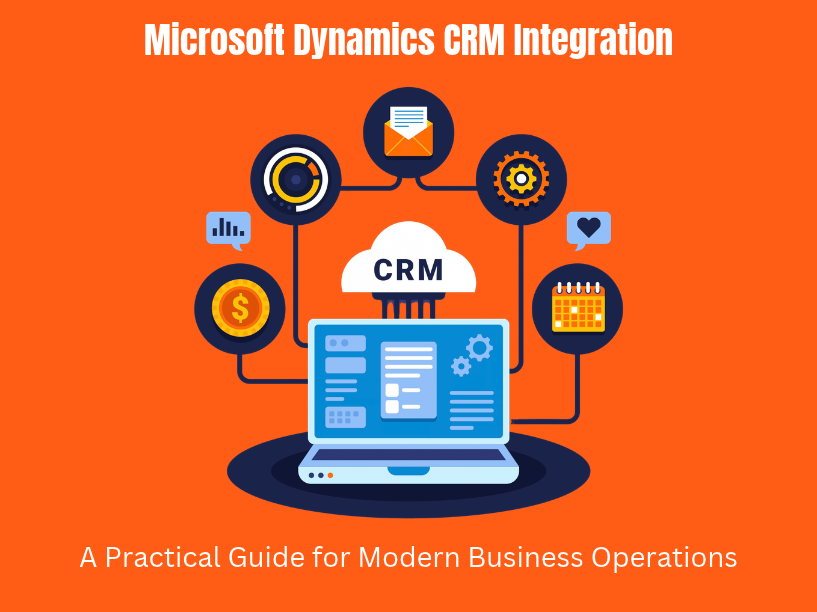
Microsoft Dynamics CRM integration is the process of connecting Dynamics 365 Customer Engagement apps-Sales, Customer Service, Marketing-with ERP systems, ecommerce platforms, finance tools, and marketing automation platforms to build a unified business operations stack. This article focuses on Dynamics 365 Customer Engagement and its integration with tools like Business Central, Azure services, and third-party applications.
TVL IT Solutions specializes in Microsoft Dynamics and custom integration projects for startups, SMEs, and enterprises globally, bringing deep technical expertise in backend engineering and scalable architecture.
Integration eliminates data silos and double entry errors. It delivers fewer manual data entries, real time data synchronization of customer data, stronger customer relationships, and faster decision-making. This guide is written for CTOs, product owners, and operations leaders planning integration work on 2025–2026 roadmaps.
Here is what you will learn:
Core dynamics 365 and customer relationship management concepts
Common integration scenarios across sales, finance, and commerce
Integration tools like Azure Logic Apps, Power Automate, and middleware solutions
Architectural patterns for reliable, event-driven data flows
ERP system integration with Business Central and beyond
Security, compliance, and governance best practices
Core Microsoft Dynamics CRM & Dynamics 365 Concepts You Must Know
Before you plan any integration, you need a clear picture of what sits inside the Microsoft Dynamics ecosystem.
“Microsoft Dynamics CRM” was the original branding. Since 2016, it has been folded into Dynamics 365, split into Customer Engagement apps. Microsoft Dynamics 365 includes modules for sales, marketing, and finance, along with Customer Insights and Field Service. Alongside these, microsoft dynamics erp products-Dynamics 365 Finance & Operations andBusiness Central-handle enterprise resource planning, accounting, inventory, and supply chain.
Microsoft Dataverse is used for secure data management in Dynamics 365. It provides consistent schemas, standardized security, and API access. For integration, Dataverse matters because triggers, connectors, and webhooks rely on its change tracking and entity structure.
Key features that affect integration design:
Entities/tables: data objects like Account, Contact, Opportunity. Understanding schema design is critical-customizing fields can affect performance and upgradeability.
Plug-ins: code hooks triggered pre- or post-operation on record changes. Useful for firing events to Azure Service Bus.
Workflows and Power Automate flows: no-code and low-code logic for automating business processes like syncing opportunity stages with invoice statuses.
Virtual tables: represent external data inside CRM without syncing (e.g., live ERP views).
Security roles: field-level and record-level access control, essential for integration user accounts.
Cloud deployments support modern tools (Logic Apps, Power Automate, Event Grid). On-premises setups often require gateways, SSIS, or Azure Data Factory with secured endpoints-a meaningful difference in how you architect data flows.
Typical Microsoft Dynamics CRM Integration Scenarios Across the Business
Most microsoft dynamics integration projects fall into five categories, each connecting different systems to the CRM.
Sales and marketing
Sync leads and contacts between Dynamics 365 Sales and marketing automation tools like HubSpot, Marketo, or Mailchimp.
Feed ad platform conversions (Google Ads, Facebook Ads) back into CRM for closed-loop attribution on marketing campaigns.
Enable lead management by routing web form submissions directly into CRM.
Finance automation
Connect CRM opportunities and invoices with Business Central or Dynamics 365 Finance to automate billing, revenue recognition, and collections.
Tipalti automates finance processes and integrates with Dynamics 365 for accounts payable workflows.
Commerce
Shopify integrates with Dynamics 365 for order and inventory synchronization, keeping product, pricing, and customer data unified. Shopify integration automates order processing in Dynamics 365.
BigCommerce offers an API connection for seamless integration with Dynamics 365, and Adobe Commerce serves similar needs for B2B storefronts on ecommerce platforms.
Customer service
Integrate Dynamics 365 Customer Service with telephony, CCaaS platforms, and knowledge bases to log customer interactions and cases automatically.
Connect with Microsoft Teams for real-time collaboration on escalated tickets.
Data analytics
Send CRM data to Power BI, Azure Synapse Analytics, or a data warehouse. Power BI provides real-time analytics when integrated with Dynamics 365, supporting dashboards for pipeline analysis, customer lifetime value, and churn.
Pull from multiple data sources-CRM, ERP, marketing-into a single semantic model.
Key Benefits of Microsoft Dynamics CRM Integration for Business Operations
When dynamics crm connects cleanly with your other tools, the impact shows up in measurable ways.
Integrated Dynamics CRM eliminates data silos between sales, finance, and operations. Your sales team, finance teams, and service reps work from one reliable version of customer and transaction data instead of reconciling spreadsheets. Data quality is crucial for effective integration across systems, and a unified data layer enforces it.
Measurable outcomes from real integration projects:
Reduced manual data entry by over 50% (as documented in the Sapphire Gas Solutions case, where month-end close dropped from 45 days to 9)
Fewer billing errors from synchronized opportunity stages and invoice statuses in Business Central
Higher lead conversion rates driven by better data accuracy across marketing and sales
Sales onboarding accelerated by 40% through automated workflows
Dynamics 365 enhances customer relationships with AI-driven insights-providing a 360° view of every customer, consistent communications, and accurate service history. Integrating Dynamics 365 enhances team collaboration and customer experience across departments.
Strategically, integration unlocks improved forecasting, real-time KPIs, and the ability to launch new business models faster. It also reduces risk: centrally designed integrations provide audit trails, compliance controls, and security governance that ad-hoc file exchanges cannot match. TVL IT Solutions focuses on secure, scalable architectures-Azure-native, security-first development-to sustain these benefits over time.
Integration Tools and Platforms for Dynamics CRM & Dynamics 365
Choosing the right integration tools depends on your data volume, latency requirements, and team capabilities.
Native Microsoft tools
Power Automate: Power Automate allows low-code integrations with Dynamics 365. It is best suited for departmental automation-lead notifications, record updates, simple syncs-where volumes are low and seconds-to-minutes latency is acceptable.
Azure Logic Apps: Azure Logic Apps provides scalable integrations for Dynamics 365. It handles complex B2B scenarios, SAP connections, legacy systems, and on-prem databases with richer connectors, retry policies, and monitoring. Use it for enterprise-grade, high-volume workflows.
Azure Data Factory: optimized for ETL/ELT pipelines. When you need CRM data in a data lake, Synapse, or a warehouse for data analytics, ADF is the right choice.
Dataverse virtual connectors and business events: expose external data inside CRM or publish domain events (e.g., “invoice posted”) to Azure Event Grid or Service Bus.
Third-party and middleware solutions
API integrations and pre-built connectors enhance Dynamics 365 functionality. Microsoft Dynamics 365 supports third-party integration tools, and several are widely used:
KingswaySoft SSIS Integration Toolkit: handles large volumes of ETL between Dynamics 365 and other solutions like Business Central, HubSpot, and geo-information systems. One documented project synchronized 6,500+ contacts, 5,000+ quotes, and 3,000+ accounts.
Boomi, Jitterbit, Workato: multi-cloud and hybrid support with prebuilt connectors and mapping UIs.
Informatica Cloud: Informatica Cloud integrates Dynamics 365 with other applications and supports data synchronization across complex integrations.
REST APIs facilitate custom integrations with other services. API integrations allow custom connections with Dynamics 365 when off-the-shelf connectors fall short. Using middleware simplifies complex integrations involving multiple systems-especially when connecting more than three or four different systems.
TVL IT Solutions evaluates tool fit based on data volume, latency requirements, security posture, and internal skills. When needed, the team buildscustom .NET or Node.js integration services for scenarios where no connector exists.
Architectural Patterns for Robust Dynamics CRM Integrations
The architecture you choose determines how well your integrations scale, recover from failures, and adapt to new business applications.
Point-to-point: direct connections between CRM and one or two apps. Simple to build, but each new system adds exponential complexity. Suitable only for very small deployments.
Hub-and-spoke (iPaaS or ESB): a central integration hub-often Azure Logic Apps plus Service Bus-through which all systems connect. Adding a new app means one new connector instead of rewiring everything. This pattern standardizes security, logging, and monitoring.
Event-driven: Dynamics CRM emits events (via webhooks, Dataverse change tracking, or business events), and downstream systems subscribe. Highly decoupled, excellent for near-real-time sync. Automated triggers streamline business processes in Dynamics 365 by publishing changes the moment they occur-say, an opportunity moving to “Won” fires a message that creates a sales order in Business Central.
Key technical considerations for any pattern:
Idempotency: duplicate events or retries must not create duplicate records. Use control numbers or correlation IDs.
Retry policies and dead-lettering: handle external system failures gracefully. Azure Service Bus supports ordered delivery and dead-letter queues.
Data mapping: ERP and CRM field sets differ. Currency conversion, tax logic, and entity relationships need explicit rules.
Compliance: GDPR, CCPA, and field-level security must be designed into multi-system data flows, not bolted on afterward.
Scalable architecture accommodates future growth in integrations. TVL IT Solutions designs for long-term maintainability, including centralized logging, monitoring via Azure Monitor and Application Insights, and alerting on flow failures. Learn more about their approach toenterprise backend development.
Deep Dive: Dynamics CRM and ERP System Integration (Business Central & Beyond)
Connecting Dynamics 365 Sales with an erp system like Business Central is one of the highest-value integration patterns for mid-market companies.
The core data flows include:
Accounts and customers: bidirectional sync so sales and finance share a single customer record
Products and price lists: catalog data maintained in the ERP, surfaced in CRM
Quotes → sales orders → invoices: a quote approved in CRM triggers an order in Business Central, which generates invoices and payment tracking
Credit limits and payment statuses: CRM reps see real-time credit data before committing deals
Incremental data synchronization is preferred over full-database imports. Standard connectors (e.g., the Business Central connector in Power Automate) handle basic entity syncing. For complex pricing, multi-currency logic, or multi-entity deployments, custom APIs fill the gaps.
Consider a B2B manufacturer using Dynamics 365 Sales for opportunities and Business Central for inventory and invoicing. When a quote converts, the integration creates a sales order in Business Central, validates stock, and pushes the order confirmation back to CRM-all without manual tasks.
Finance automation benefits are direct: synchronized revenue schedules, accurate AR aging reports, and reduced reconciliation work. Finance teams stop chasing spreadsheets. For multi-country deployments, TVL IT Solutions configures custom integration rules for tax localization, local currencies, and legal entity requirements-areas where out-of-box connectors typically fall short. Compare the broader landscape inMicrosoft Dynamics 365 vs Traditional ERP.
Marketing, Sales, and Customer Engagement Integrations
Marketing automation and CRM alignment is where lead management either thrives or leaks revenue.
Email and marketing platforms
Integrating Dynamics CRM with tools like HubSpot, Marketo, Brevo, or Mailchimp keeps leads, contacts, and campaign data synchronized. When a prospect opens an email or clicks a link, that engagement data enriches their CRM record.
Ad platforms
Connect Dynamics 365 leads and opportunities to Google Ads and Facebook Ads for offline conversion tracking. This enables closed-loop attribution: CRM opportunity revenue ties back to specific ads, marketing campaigns, and content sources.
Forms and surveys
Typeform, Jotform, Unbounce, and Gravity Forms feed new contacts directly into Dynamics CRM with proper consent tracking. This eliminates manual data entry and ensures every lead enters the pipeline immediately.
Social selling
LinkedIn Sales Navigator and similar tools enrich CRM records with professional and engagement data, giving the sales team richer context for outreach and stronger customer interactions.
TVL IT Solutions designs these flows to avoid duplicate records, handle opt-in/opt-out preferences, and maintain marketing consent compliance (GDPR/CCPA). The key result: sales efficiency improves because reps spend time selling, not cleaning data or toggling between multiple platforms.
Analytics, AI, and Azure-Based Enhancements for Dynamics CRM
Integrated data unlocks analytics and AI capabilities that siloed systems cannot deliver.
Data integration layer: Azure Data Factory or Synapse Analytics centralizes CRM, ERP, and eCommerce data into a unified warehouse. From there, you build semantic models that connect data sources across the entire tech stack.
Visualization with Microsoft Power BI: Power BI integrates natively with Dynamics 365 for real-time analytics. Power BI allows creation of dashboards using Dynamics 365 data-pipeline health, sales forecasting, customer lifetime value, and churn indicators. Power BI enhances data visualization for sales and financial metrics. Power BI provides insights without manual Excel manipulations, giving leaders business insights they can act on daily.
AI scenarios built on integrated data:
Lead scoring models that combine CRM engagement data with marketing touchpoints
Churn prediction using support case sentiment and purchase frequency
Next-best-action recommendations surfaced inside the CRM user interface
Microsoft Copilot and AI Builder use data from Dynamics CRM and integrated systems to suggest emails, draft responses, and recommend follow-up tasks. The 2025 Release Wave 2 deepened these agentic capabilities with proactive lead insights and risk detection.
TVL IT Solutions combinesAI and ML development services with Dynamics CRM via APIs to deliver custom predictive models-for example, predicting overdue invoices using combined CRM and finance history.
Security, Compliance, and Governance in Dynamics CRM Integrations
Security is not a layer you add later. It is a design decision from day one.
Authentication and access:
Use Azure AD (Entra ID) app registrations and OAuth 2.0 for all integration connections. Never store microsoft credentials or API keys inside CRM entities or plugin code-use Azure Key Vault instead.
Role-based access control enhances integration security. Use non-interactive service accounts or service principals with least-privilege security roles-grant only read/write on the specific tables the integration touches.
Microsoft Dynamics 365 integrates with Microsoft 365 apps seamlessly, but each connection point still requires explicit permission scoping.
Data protection:
Encrypt data in transit (TLS) and at rest (Azure storage encryption).
Classify fields containing PII or financial data. Apply field-level security in Dataverse.
Define data ownership: which system is the system of record for each entity.
Compliance:
GDPR: consent tracking, right to erasure, data subject access requests must flow through integrated systems, not just CRM.
CCPA and sector-specific regulations (banking, healthcare) may require data residency controls, audit logging, and identity proofing.
Governance:
Maintain an integration registry documenting every flow, its owner, data it touches, and version control history.
Segregate environments: dev, test, production. Use realistic but masked test data.
TVL IT Solutions follows security-first development practices including threat modeling, secure coding standards, and environment segregation across allcustom software development projects.
Real-World Case Studies: Dynamics CRM Integration Projects
Real projects show what these integration patterns look like in practice.
Case 1: Sales and Finance Alignment (Sapphire Gas Solutions)
Challenge: Sales and finance operated in disconnected spreadsheets. Month-end close took 45 days. Manual data entry dominated daily work.
Solution: Integrated Dynamics 365 Sales with Business Central for customer, quote, and invoice synchronization. Automated workflows replaced manual handoffs.
Results: Month-end close dropped to 9 days. Manual entries reduced over 50%. Sales onboarding accelerated by 40%. Leadership gained real-time visibility into financial and operational performance.
Case 2: Multi-System ETL (CRMPlus+ with KingswaySoft)
Challenge: Data scattered across Dynamics CRM, three Business Central instances, HubSpot, and a geo-information system. Large volumes of contacts, quotes, and emails needed consolidation.
Solution: KingswaySoft SSIS Integration Toolkit handled ETL across all systems. Transferred 60,000+ emails with attachments, 3,000+ accounts, 6,500+ contacts, and 5,000+ quotes.
Results: Implementation completed faster than previous vendor relationships. Data accuracy improved across all connected systems. Existing data migrated cleanly without disruption.
Case 3: Manufacturing Workflow Automation (DBSync)
Challenge: A manufacturing company tracked projects in Dynamics 365 and managed payroll in QuickBooks. Labor hours and material usage lived in spreadsheets.
Solution: DBSync Cloud Workflow connected both systems with recurring syncs and automated workflows.
Results: Project delivery time reduced by 25%. External spreadsheets eliminated. Finance teams gained real-time visibility into labor and material data.
These cases demonstrate that microsoft dynamics crm integration delivers measurable results when architecture, tools, and data mapping are handled with care. TVL IT Solutions brings similar rigor to every engagement throughMicrosoft Dynamics 365 development services.
Planning and Executing a Microsoft Dynamics CRM Integration Project
A structured approach separates successful integration projects from costly rework.
Step-by-step framework:
Discovery and process mapping: Interview sales, finance, and operations stakeholders. Document pain points-delayed reporting, inconsistent pricing, repetitive tasks consuming hours weekly.
System inventory: Catalog every application in your tech stack, its data sources, and how information currently moves between them.
Data modeling: Map entities across systems. Identify which system owns each record type. Best practices for integration include clear objectives and scope definition at this stage.
Tool selection: Match tools to requirements. Consider the decision framework from the integration tools section-Power Automate for simple flows, Logic Apps for enterprise scale, Data Factory for analytics pipelines.
Architecture design: Choose your integration pattern. Start with a hub-and-spoke approach if you connect more than two or three business applications.
Implementation: Build incrementally. Start with high-value, low-risk integrations (e.g., CRM-ERP customer sync) before tackling complex automation like AI-driven finance automation.
Testing: Testing integrations thoroughly improves reliability and performance. Use sandbox Dynamics instances and realistic test data to validate mappings, error handling, and throughput before go-live.
Change management: Train users. Document every flow. Establish monitoring and alerting.
TVL IT Solutions supports multipleengagement models-dedicated teams for large ongoing programs, fixed-scope projects for well-defined integrations, and hybrid/time-and-material for evolving requirements. Microsoft Dynamics 365 integrates seamlessly with Microsoft 365 applications, so your team can automate processes across Outlook, Teams, SharePoint, and CRM from a single power platform.
Best Practices, Pitfalls to Avoid, and How TVL IT Solutions Can Help
A well-designed integration compounds value over time. Each connected system makes the next one faster and more reliable. Here is how to protect that investment.
Best practices:
Start with clean CRM data. Deduplicate and standardize before connecting to other tools.
Use configuration over code wherever possible to reduce the learning curve for maintenance.
Centralize logging. Every data sync event should be traceable.
Design with failure in mind: retry policies, dead-letter queues, and alerting for silent failures.
Document every integration flow in an integration catalog with owners, schedules, and version control.
Power BI integration provides real-time analytics for Dynamics 365-build dashboards early so stakeholders see value immediately.
Common pitfalls:
Over-customizing CRM entities before integration, creating schema mismatches that break connectors
Relying solely on point-to-point connections that collapse under growth
Ignoring data governance-no defined system of record, no retention policies
Skipping user training, which leads to workaround spreadsheets and a free version of the old chaos
Neglecting to plan for optimal performance under load-an intuitive interface means nothing if syncs fail during peak hours
Scaling over time:
Introduce an integration catalog that tracks every connector, its purpose, and its tenant administrator
Schedule quarterly reviews of flows, connectors, and data quality
Add new business applications incrementally, using the hub you have already built to boost efficiency and enhance productivity across the organization and maintain a competitive edge
TVL IT Solutions partners with clients beyond initial delivery-monitoring integrations, adding new systems, and supporting platform upgrades from Microsoft. If you are mapping out a 2025–2026 integration roadmap, the team can help you design, build, and maintain the architecture your business needs. Reach out to discuss your dynamics crm integration goals and explore what a partnership looks like.
Frequently Asked Question
What is Microsoft Dynamics CRM integration?
Microsoft Dynamics CRM integration connects Dynamics 365 Customer Engagement with ERP, ecommerce, finance, marketing, and other business systems to create unified data flows.
What tools are used for Dynamics CRM integration?
Common tools include Power Automate, Azure Logic Apps, Azure Data Factory, Dataverse connectors, REST APIs, and third-party middleware such as KingswaySoft, Boomi, Jitterbit, and Workato.
What are the benefits of Microsoft Dynamics CRM integration?
Integration reduces data silos and manual data entry while improving data accuracy, customer visibility, workflow automation, reporting, and business decision-making.
How can Dynamics CRM integrate with an ERP system?
Dynamics 365 can integrate with Business Central or other ERP systems to synchronize customers, products, price lists, quotes, sales orders, invoices, credit limits, and payment information.
How do you secure a Microsoft Dynamics CRM integration?
Use Entra ID and OAuth 2.0, least-privilege access, Azure Key Vault, encryption, field-level security, data classification, audit logging, and environment separation for secure integrations.
Transform Your Ideas Into Powerful Software Solutions
At TVL IT Solutions, we specialize in delivering scalable, secure, and custom software development services tailored to your unique business needs. Whether you’re a startup or an enterprise, our team is ready to turn your vision into reality.